Support teams usually feel the strain before the dashboard makes it obvious.
New tickets arrive from email, chat, forms, account managers, and internal handoffs. Some are simple requests. Some are urgent escalations. Some need product, finance, operations, or delivery input before anyone can answer clearly.
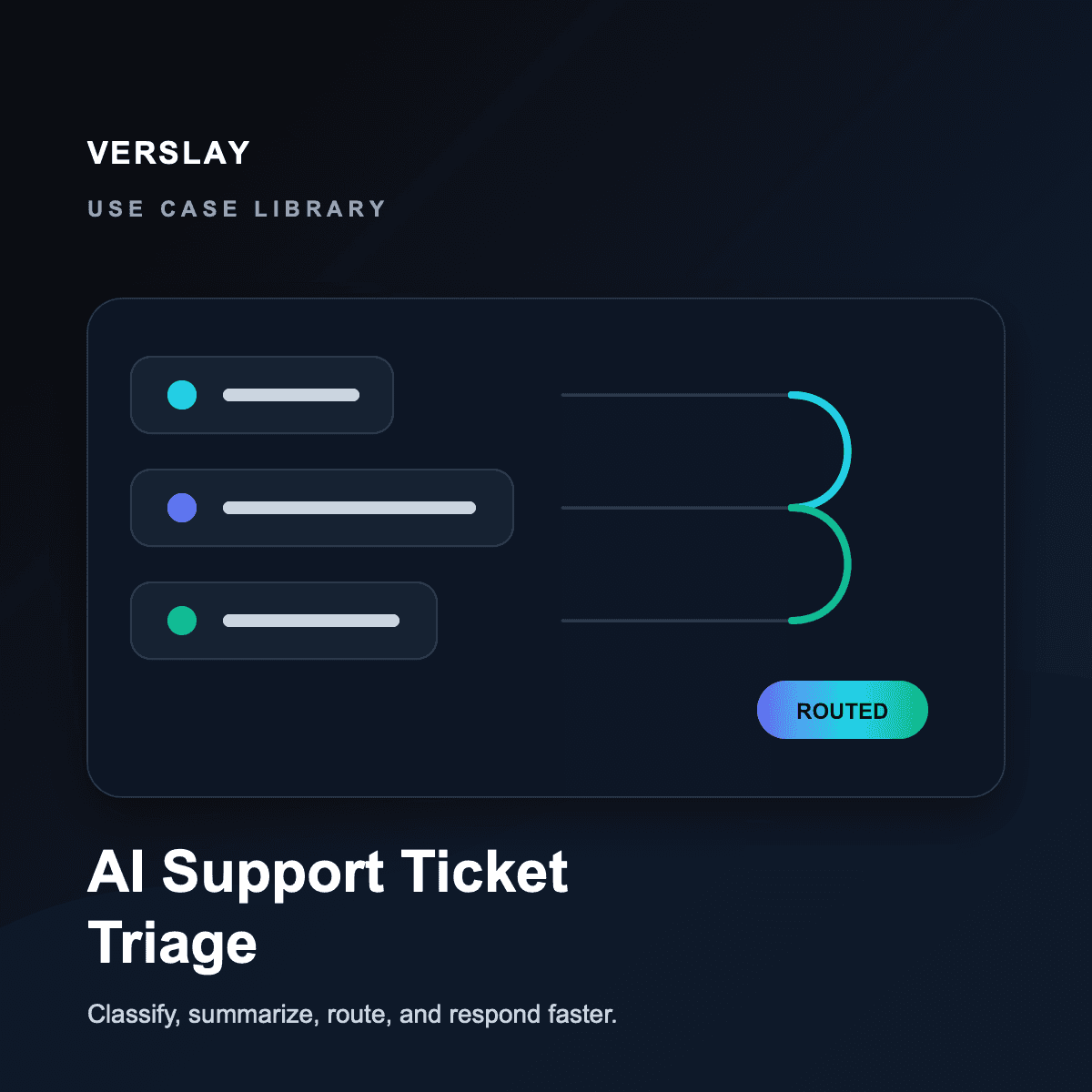
An AI support ticket triage workflow helps by turning that first messy intake layer into a repeatable operating system. It does not replace support judgment or customer empathy. It removes the repetitive sorting, summarizing, routing, and follow-up work that slows the team down before the real response begins.
What This Use Case Does
An AI support ticket triage workflow helps service teams move from unstructured requests to clear next actions.
At a high level, the workflow:
- collects new support requests from connected channels
- classifies the issue by intent, urgency, customer context, and required owner
- summarizes the situation for the person who needs to respond
- flags missing information before the ticket is routed
- drafts the first internal note or customer reply for review
- updates the system of record as the ticket moves forward
For support and success teams, that usually means fewer tickets sit in an ambiguous queue waiting for someone to decide what they are.
Why Ticket Triage Breaks Down
Support ticket triage often breaks for operational reasons, not because the team lacks care.
The common problems are familiar:
- every channel uses a different format for the same type of request
- urgent customer issues are mixed with routine updates
- tickets get assigned based on availability instead of the right owner
- responders have to read long threads before understanding the ask
- escalation rules live in someone's memory instead of the workflow
- missing context is discovered only after the customer is already waiting
This is why support triage is a strong automation category for agencies, implementation teams, SaaS operators, managed service providers, and customer-facing operations teams.
A Practical AI Support Ticket Triage Workflow
Here is a structure that works well for service teams with multiple intake channels.
Step 1: Bring Intake into One Workflow
Start with the places support requests already enter the business:
- shared inboxes
- chat tools
- help desk tickets
- website forms
- CRM records
- account manager notes
- internal Slack or Teams messages
The first goal is not to answer every request automatically. The first goal is to make sure each request enters a consistent triage path instead of being handled differently depending on where it arrived.
Step 2: Classify the Request
The AI layer reads the incoming request and assigns a practical classification:
- issue type
- urgency
- customer or account context
- sentiment or escalation risk
- required team or owner
- whether the request is complete enough to route
This gives the support team a structured starting point instead of a raw message.
Step 3: Summarize the Context
Before a human responds, the workflow can generate a concise working summary:
- what the customer is asking
- what happened so far
- which details are missing
- what the likely next step is
- whether the issue needs escalation
That summary is especially useful when the ticket includes a long email thread, several handoffs, or mixed technical and commercial details.
Step 4: Route to the Right Owner
Once the request is classified, the workflow can route it based on the actual operating rules:
- billing questions to finance or operations
- implementation blockers to the delivery owner
- technical issues to product or support engineering
- account-risk tickets to customer success
- unclear requests to an intake reviewer
Good triage does not just move tickets faster. It moves them to the person who can actually resolve them.
Step 5: Draft the First Response or Internal Note
The workflow can prepare the first draft based on the classification:
- acknowledgement message
- request for missing information
- internal handoff note
- escalation summary
- next-step recommendation
That does not mean every response should be sent automatically. It means the responder starts with a structured draft and can spend more time on judgment, tone, and resolution.
Where Verslay Fits
Verslay is built for workflows like this because support triage is rarely one isolated action.
It usually requires several connected steps:
- read the incoming customer context
- classify the request
- check connected systems for account or workflow details
- draft the working summary
- route the next action
- keep the record updated as ownership changes
That is why it works better as a repeatable use case than as a one-off AI prompt. The value comes from consistent coordination across the full support path.
If you want to explore adjacent workflow patterns, the use-case library shows how ticket triage can connect to routing, reporting, onboarding, and follow-up operations. If your support workflow depends on existing tools, the integrations overview gives the clearest view of how those systems can connect.
What a Good First Version Looks Like
The best support triage automations start narrow.
Begin with:
- one intake channel
- one support queue
- one classification model
- one escalation path
- one draft-response pattern
For example, a strong first version might classify new inbox tickets, summarize the request, flag missing details, route urgent issues, and draft an acknowledgement for review. That alone can reduce a large amount of queue-cleaning work.
What to Watch Out For
Teams usually run into the same early mistakes:
- automating responses before the triage rules are clear
- treating incomplete customer context as confirmed fact
- routing based only on keywords instead of intent and ownership
- skipping human review on sensitive or escalated tickets
- trying to automate every exception before the standard queue is stable
A better approach is to let automation handle the repeatable structure while keeping humans responsible for customer judgment, escalation nuance, and final response quality.
The Payoff
When this use case is working well, the gains are practical:
- faster first review
- clearer ticket ownership
- fewer missed escalations
- more consistent customer communication
- less time spent manually sorting the queue
- better handoffs between support, success, operations, and delivery
That is what makes AI support ticket triage valuable for service teams. It is not about replacing the human support function. It is about reducing the operational drag between a customer request and the right next action.
If you want to expand from support triage into broader customer operations, the next step is usually follow-up management, account health reporting, onboarding, and renewal workflows. For teams evaluating rollout structure, the pricing page gives a useful overview of how these workflows are packaged.