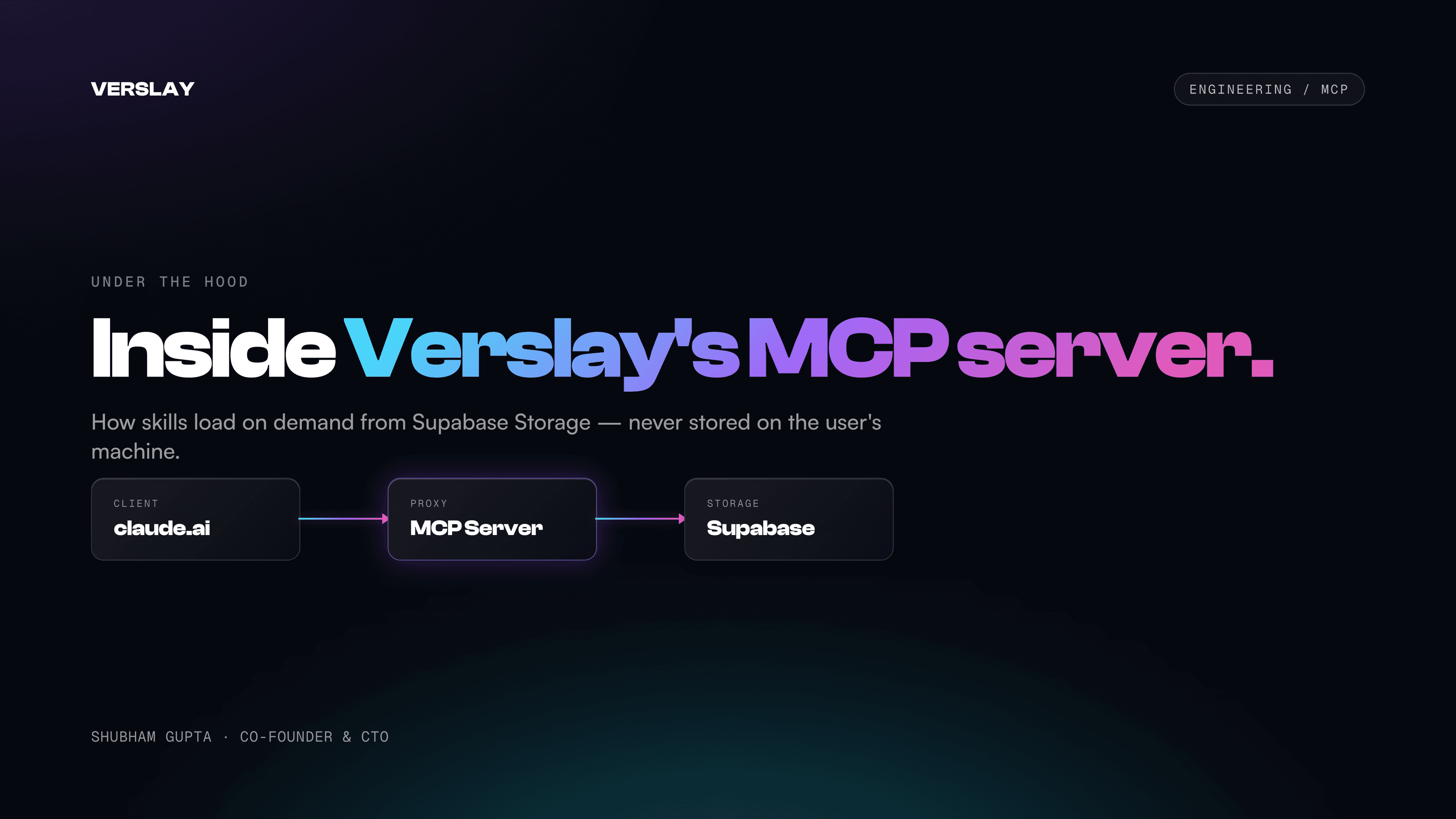
The Model Context Protocol is Anthropic's open standard for connecting AI models to external tools, data sources, and APIs. Verslay is built on top of it — our MCP server is the bridge between your claude.ai session and everything Verslay can do: the agents, the integrations, the memory system.
This post explains how it actually works under the hood. If you're a developer, an agency technical lead, or just someone who wants to understand why Verslay's architecture is different from most AI tool platforms, this is for you.
What Is an MCP Server?
An MCP server is a process that exposes "tools" — functions with typed input/output schemas — to an MCP-compatible AI client. The AI client (claude.ai, Claude Code, or any MCP client) can discover these tools, decide which ones to call based on the user's request, and execute them.
Verslay's MCP server lives at mcp.verslay.com, runs on Railway, and exposes ~156 tools across three categories:
- 11 core tools (always visible, handle initialization, memory, activity)
- 31 provider-specific tools (registered dynamically after deployment, based on your connected services)
- ~84 intelligence package tools (24 packages, always available)
- 13 video proxy tools (forwarded to a separate videdit MCP server)
The number 156 is a live count — it grows as we add agents and integrations.
The Three Initialization Tools
Understanding Verslay's architecture starts with understanding three tools and the order they're called:
verslay_initialize
This is the handshake. When you call verslay_initialize in claude.ai, the MCP server:
- Validates your session — via Supabase JWT, Verslay API key (
vsk_prefix), or OAuth token (voa_prefix for claude.ai) - Fetches your profile and enabled agent list from Supabase
- Loads your memory context (all 14 sections of your JSONB memory store)
- Returns a structured initialization payload that tells Claude what Verslay can do for your specific account
The payload includes your enabled agent count, your memory sections (so Claude understands your business context immediately), and a session ID that will be used to persist state across tool calls.
verslay_discover
After initialization, verslay_discover lets Claude ask: "what specific agents and use-cases does this user have enabled, and what can each one do?"
The tool fetches the agent metadata from Supabase — names, descriptions, required connections, and which "connection group" each agent belongs to (email, calendar, crm, ecommerce, etc.). This is how Claude knows to suggest the Revenue Dashboard agent when you ask about sales data, rather than the Email Campaign Manager.
verslay_deploy
This is the heavy-lift tool. When you call verslay_deploy, the MCP server runs Smart Context Assembly v3:
- Loads the
SKILL.mdfiles for each of your enabled agents from Supabase Storage - Compiles them into a structured deployment payload (the "workflow compiler" at
apps/mcp-server/src/lib/workflow-compiler.ts) - Registers the provider-specific tools based on your active connections (Gmail tools only if Gmail is connected, etc.)
- Returns the full agent instructions to your Claude session
The SKILL.md files are the real "agent brains" — each one is 80-400 lines of structured instructions, reliability protocols, output specifications, and tool usage patterns. They live in Supabase Storage (skill-contents bucket, one file per agent), not in the codebase.
Why Skills Live in Supabase Storage
This is the architectural decision that most people find surprising: Verslay's agent instructions — the actual content that defines what each agent does — are not in the deployed codebase. They're stored as files in Supabase Storage, fetched at runtime.
Why?
Iteration speed: We can update an agent's behavior by uploading a new SKILL.md file. No deployment, no code review, no Railway restart. The change is live in the next verslay_deploy call.
Proprietary content protection: SKILL.md files are never served to the browser. They flow from Supabase Storage → MCP server → Claude session (ephemeral). They're not stored locally on your machine, not cached in the browser, not visible to network inspection tools. The agent instructions are server-side, always.
User-specific composition: Not every user gets every agent. The workflow compiler assembles a deployment payload from your enabled agents — it doesn't ship the full 98-agent instruction set to every session. This keeps payload size manageable and the session context focused.
The "No AI on Our Infrastructure" Claim, Explained
Verslay's marketing says "No AI on our infrastructure." This is true in a specific, important sense.
The Verslay MCP server is a Node.js/Express application. It handles:
- Authentication (JWT validation, API key lookup, OAuth token validation)
- Tool registration and routing
- OAuth token decryption and API proxying (Gmail, HubSpot, Shopify, etc.)
- SKILL.md file fetching and compilation
- Memory reads and writes
- Activity logging
It does not run any language model inference. It doesn't call the Anthropic API. It doesn't use GPT-4, Gemini, or any other model.
The reasoning happens entirely in your Claude session, which runs on Anthropic's infrastructure using your claude.ai subscription. Verslay provides the tools — the data fetchers, the API proxies, the memory system — and Claude decides how to use them.
Practical implications:
- You always use the latest Claude model (we don't control which model version you're on — Anthropic does)
- Your business context isn't being used to train anyone's model
- Verslay's cost structure doesn't include GPU compute — we pay for Railway hosting + Supabase, not inference
- If Claude gets 10x better next year, every Verslay agent immediately gets 10x better with no work from us
The Authentication System
The MCP server supports three authentication methods, which serve different use cases:
Supabase JWT: The standard method for hub.verslay.com users. Your browser session issues a JWT; the MCP server validates it via supabaseAdmin.auth.getUser(). This is the path for users who sign in via the hub.
API Key (vsk_ prefix): For programmatic access and CI/CD. API keys are SHA-256 hashed before storage — we never store the raw key. Up to 5 active keys per user. Managed from the Settings page in the hub.
OAuth Token (voa_ prefix): Specifically for claude.ai integration. When you connect Verslay to claude.ai as an MCP server, claude.ai uses a standard OAuth PKCE flow. Verslay issues short-lived voa_ access tokens (1 hour) and vor_ refresh tokens (30 days). The OAuth server at mcp.verslay.com is RFC 8414 compliant.
The /.well-known/oauth-authorization-server and /.well-known/oauth-protected-resource/mcp endpoints expose the OAuth server metadata that claude.ai's MCP client discovers automatically.
Session Persistence
Railway containers restart. MCP sessions need to survive restarts.
We solved this with the mcp_sessions table in Supabase: when a session is established, its state (session ID, deployed skills list, expiry) is written to Supabase. When the MCP server restarts, existing sessions are restored from the database on the next tool call.
This is why you don't lose your deployed state when Railway does a routine restart — the /debug/sessions endpoint (internal) lets us inspect and recover sessions, and the persistence layer ensures users don't experience interruptions.
The Video Proxy
Video editing is a specialized workload that warrants its own MCP server. Verslay's apps/videdit/ is a standalone MCP server for video intelligence — handling 42 specialized video agents in a 5-phase pipeline (analyze → plan → cut → compose → render).
The main Verslay MCP server doesn't re-implement video tools — it proxies them. When you call verslay_video_apply_cut_list or verslay_video_smart_reframe, the main MCP server forwards the request to the videdit server via a HS256 service JWT. From the user's perspective, it's seamless. Under the hood, it's two specialized services with a clean separation of concerns.
What's Exposed vs. What Stays Private
To be explicit about the security model:
| Component | Exposed to user session | Stored where |
|---|---|---|
| SKILL.md content | Ephemeral (per session, in Claude context) | Supabase Storage (server-only access) |
| OAuth tokens | Never | Supabase DB, AES-256-GCM encrypted |
| Memory store | Readable via verslay_recall, writable via verslay_memorize | Supabase DB, user-scoped |
| Agent tool schemas | Yes (Claude needs to know what tools exist) | Registered in MCP server at deploy time |
| API keys | Never (SHA-256 hash only) | Supabase DB |
The tool schemas (the JSON spec of what each tool does and what parameters it takes) are visible to the AI model — that's necessary for the model to decide which tool to call. The content that drives the agent behavior (SKILL.md instructions) is not.
We write about the engineering decisions behind Verslay openly because we think the MCP architecture is genuinely new and worth documenting. If you have questions about a specific component, email us at care@verslay.com.
In the meantime, the best way to understand the system is to use it.