AI Agent for Shopify Order Management: A Practical Guide
An AI agent for Shopify order management connects directly to your store backend to inspect incoming orders, flag inventory bottlenecks, and update fulfillment statuses autonomously. Instead of manually reviewing line items or copying tracking numbers across separate apps, store operators use plain-language requests in Claude to coordinate daily order actions. This setup reduces order cycle times and prevents fulfillment delays without requiring complex custom software.
At a glance
- Core function: Automates daily Shopify order review, status checks, and customer notifications using conversational AI.
- How it runs: Operates via Verslay Model Context Protocol (MCP) server directly inside your own Claude workspace.
- Key advantage: No custom coding, webhooks maintenance, or hosting required on your infrastructure.
- Ideal for: Growing online stores and boutique ecommerce brands handling 20 to 500 orders per day.
What is an AI agent for Shopify order management?
An AI agent for Shopify order management is an intelligent software assistant that interacts with your ecommerce catalog, inventory records, and order queues through structured tools. Rather than existing as a static dashboard or a rigid rule builder, the agent operates inside a conversational interface such as Claude.
When an order arrives in your Shopify store, the agent can examine line items, confirm stock availability, verify customer shipping details, and assign appropriate fulfillment tags. It functions as an extra pair of operational hands for your store team. Because the agent connects using the Model Context Protocol (MCP), it reads and updates store information securely during your chat session without running background models on your private servers.
Store owners can review our AI Agents catalog to see how conversational assistants handle specialized ecommerce tasks across marketing, operations, and support.
Why do manual Shopify order workflows slow down growing stores?
Managing orders manually works well when a store ships ten packages a day. As daily volume grows past fifty or one hundred orders, manual order management begins to strain small teams:
- Repetitive Tagging and Sorting: Staff spend hours categorizing orders by fulfillment location, international shipping status, or backorder status in the Shopify admin.
- Delayed Exception Detection: An address typo, missing apartment number, or mismatched SKU often remains unnoticed until a warehouse packer flags it or a package gets returned.
- Fragmented Customer Inquiries: Support teams spend significant time answering questions about order locations, manually copying tracking numbers between shipping portals and customer emails.
- Inventory Allocation Friction: Orders containing mixed availability items, such as in-stock items paired with pre-orders, frequently get stalled because staff must manually split shipments or hold fulfillment.
According to official Shopify Order Management documentation, proper order processing requires swift fulfillment steps, inventory tracking, and consistent customer updates. Manual data entry introduces unnecessary human error at every stage of this cycle.
How does an AI agent interact with Shopify orders through Claude?
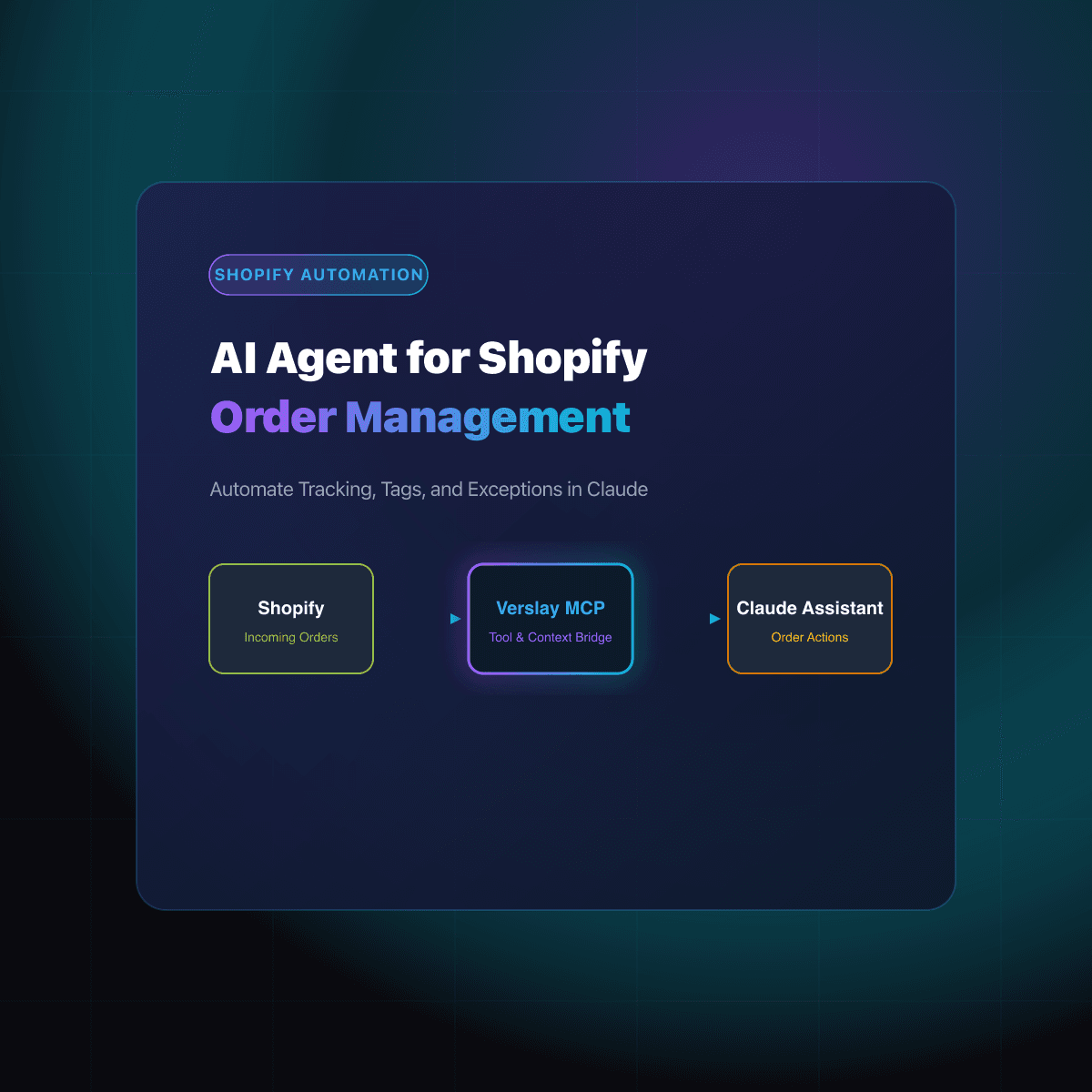
The integration between your Shopify store and Claude relies on the Model Context Protocol (MCP). Verslay provides a pre-configured MCP server that exposes safe, authenticated Shopify tools directly to your Claude desktop or web application.
Here is how the interaction works during a typical business day:
- Natural Language Request: You ask Claude to inspect orders placed over the last 24 hours that are unfulfilled and missing tracking information.
- Tool Execution via MCP: Claude translates your request into targeted API calls against the Verslay MCP server. The server queries your Shopify store for matching order records.
- Contextual Analysis: Claude analyzes the returned order data, identifies specific issues such as unverified addresses or split items, and presents a clear summary table.
- Approved Action: You ask Claude to apply high-priority tags to flagged orders and generate customer update drafts. The agent executes these actions through the MCP bridge.
No proprietary models run on your local machines, and you do not need to maintain custom API scripts or cloud functions. You can discover related workflow designs across our ecommerce use cases.
What order management tasks can you automate with AI?
Small ecommerce brands can automate several repetitive operational stages without handing over full control of their business.
| Order Management Task | Manual Approach | AI Agent Workflow | | :--- | :--- | :--- | | Address Verification | Reviewing flags manually after carrier rejection | Flags malformed postal codes and missing unit numbers immediately | | Priority Order Tagging | Scanning order values and customer tags by hand | Automatically tags VIP, expedited, and wholesale orders upon placement | | Split-Fulfillment Coordination | Checking warehouse stock and drafting internal notes | Detects multi-location inventory and recommends optimal fulfillment splits | | Hold & Fraud Reviews | Checking risk scores one order at a time | Summarizes medium-risk orders and drafts review checklists for staff | | Status Update Drafting | Copying carrier links into individual emails | Generates accurate, contextual email updates for delayed shipments |
By offloading routine inspection and data matching to the agent, your team focuses on packaging, customer relationships, and product sourcing. You can explore how these tools integrate with existing business apps on our integrations directory.
How do you set up a Shopify AI agent without custom code?
Setting up an order management agent takes only a few minutes because it relies on standard Claude capabilities and Verslay connectors.
Step 1: Connect your store credentials
Add your Shopify store connection through Verslay dashboard. The platform generates an authenticated MCP connection string designed for your workspace.
Step 2: Add Verslay MCP to Claude
Paste the connection details into your Claude desktop or workspace configuration. Claude immediately recognizes the available Shopify tools, including order lookup, customer search, and tag management.
Step 3: Run your first operational prompt
Open a chat in Claude and give the agent a specific operational task. Here is a practical prompt you can use:
Check the last 50 unfulfilled orders in my Shopify store.
Identify any orders where the shipping address is flagged as incomplete
or where items are marked as low stock.
Provide a summary table with order numbers, customer names, and recommended actions.
Do not modify any orders until I review the summary.
Step 4: Review findings and confirm actions
The agent returns a clean breakdown of orders requiring attention. If you approve the suggestions, prompt Claude to apply tags such as address-review-needed or low-stock-hold. The updates sync back to your Shopify store instantly.
How does Verslay protect your store data and order privacy?
When operating an online business, customer privacy and order confidentiality are essential. Verslay is designed with strong security principles that keep your operations private:
- Customer-Owned AI Interface: All prompts, summaries, and agent interactions occur directly inside your own Claude workspace.
- Zero Local AI Hosting: You never have to configure or maintain AI models on your own servers.
- Explicit Human Oversight: Sensitive actions, such as order cancellations or refund disbursements, can be structured to require human approval before execution.
- Transparent Tool Calling: You see every API call Claude requests, giving your team full visibility into what information is accessed and updated.
To review pricing tiers for growing brands and multi-store operations, check our transparent pricing page.
Frequently asked questions
How do you connect Claude to Shopify for order management?
You connect Claude to Shopify by adding Verslay MCP server URL to your Claude workspace configuration. Once connected, Claude gains secure permission to query order states, read customer records, and apply tags without writing code.
Can an AI agent automatically cancel or refund Shopify orders?
Yes, but store policies determine the boundaries. You can configure the agent to draft cancellation requests or require human approval before issuing refunds, ensuring complete control over store finances.
Does an AI agent require changes to your Shopify theme or store code?
No theme changes or frontend code modifications are required. The AI agent interacts entirely with Shopify backend APIs and your Claude interface, leaving your customer-facing storefront untouched.
What happens if an order has conflicting address or inventory details?
The agent identifies mismatched shipping addresses or out-of-stock SKUs and flags the order with an exception tag. It drafts an explanatory note for your team so the issue can be resolved before shipment.
Take the next step with Verslay
Automating your daily Shopify order review helps your team fulfill shipments faster and keep customer satisfaction high. Schedule a personalized consultation at https://calendly.com/verslay/30mins to see how our AI agents can support your store operations.