Shopify Product Descriptions with AI: A Store Guide
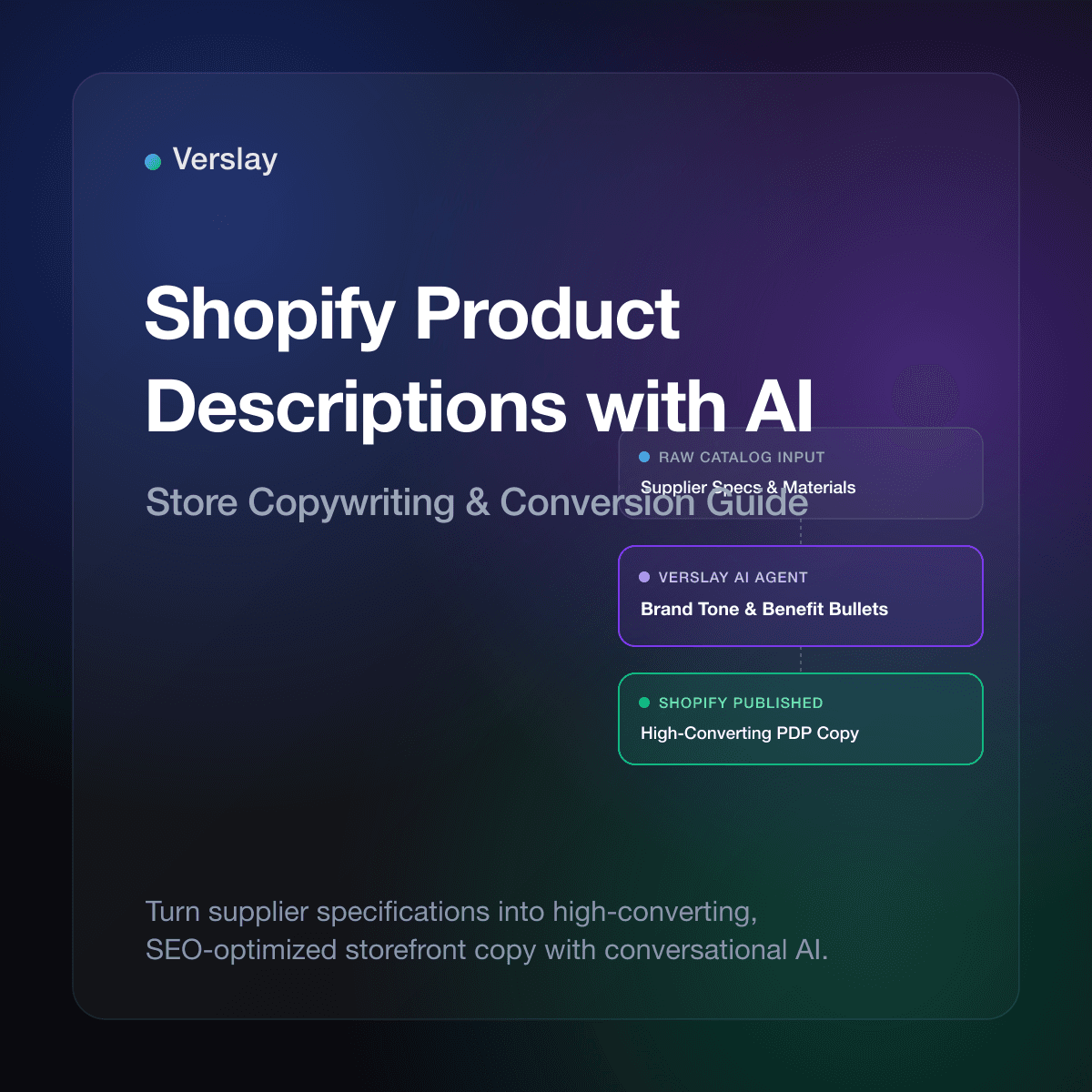
Shopify product descriptions with AI convert raw supplier specifications into persuasive, search-optimized storefront copy directly inside your Claude workspace. By linking store catalog data to conversational AI through Model Context Protocol (MCP), online brands can draft tailored descriptions for new inventory drops, refresh stale catalog listings, and highlight product attributes without hours of repetitive copywriting. Store teams maintain complete oversight, auditing and approving staged updates before any changes publish to their live Shopify store.
At a glance
- Core function: Transforms supplier attributes, materials, and dimensions into benefit-led descriptions and structured specification lists.
- How it runs: Operates inside your existing Claude workspace via the Verslay MCP server, requiring no custom application code or external servers.
- Operational benefit: Cuts catalog publishing time from days to minutes while standardizing product copy across multi-variant inventory.
- Target merchant: Shopify and Shopify Plus stores, multi-brand boutiques, DTC brands, and merchandising teams managing 100 to 20,000 active SKUs.
What are Shopify product descriptions with AI?
Shopify product descriptions with AI refer to automated storefront copywriting created by language models connected directly to ecommerce inventory records. As documented in the official Shopify Product Details guide, product descriptions do more than list measurements; they answer buyer objections, explain value propositions, and provide search engines with text signals to index product pages accurately.
When brands introduce seasonal drops or add wholesale inventory, writing unique descriptions for dozens of SKUs creates an operational bottleneck. Merchandisers frequently reuse raw supplier text, resulting in duplicate copy that fails to engage buyers. Other stores use generic template software that outputs stiff, repetitive phrasing that damages brand perception.
Connecting Claude to your store catalog using Model Context Protocol enables contextual, brand-aligned copywriting. The AI evaluates catalog attributes against your specific style standards:
- What primary customer need does the product address?
- What are the exact fabric compositions, dimensions, and care instructions?
- What tone matches your brand guidelines, from relaxed to technical?
- Which secondary search keywords should appear naturally within the copy?
Rather than copying data across spreadsheets and web forms, store operators review polished copy in Claude and approve updates with a single command.
Explore our AI Agents catalog to see how conversational assistants manage catalog updates, customer support triage, and inventory monitoring across modern stores.
Why do manual product descriptions hold back online stores?
Drafting product copy by hand works for twenty items, but manual writing breaks down as catalog volume expands. Growing merchants encounter four operational hurdles:
- Delayed Launch Timelines: Drafting original descriptions for 80 incoming styles can postpone new product drops by days while inventory sits idle in the warehouse.
- Duplicate Content Issues: Reusing raw supplier descriptions verbatim triggers search penalties. As stated in the Google Search Central Helpful Content guide, search algorithms favor original value and demote duplicate manufacturer text.
- Fragmented Store Tone: When different team members or contractors draft listings over several quarters, store voice becomes inconsistent and confusing to shoppers.
- Poor Mobile Readability: Manually written descriptions often lack scannable structure. Shoppers on mobile screens need clear bullet points and highlighted specifications they can evaluate in seconds.
Automating description drafting with conversational AI eliminates these delays, ensuring prompt product releases with consistent, customer-focused copy.
How does AI copywriting compare to manual writing and basic templates?
Growing stores manage catalog copy through manual writing, template apps, or an AI agent workflow connected via Model Context Protocol.
The comparison table below outlines how these operational methods compare:
| Operational Dimension | Manual Copywriting | Basic Template Apps | Verslay AI Agent Workflow | | :--- | :--- | :--- | :--- | | Drafting Speed | 15–30 minutes per SKU | Instant, but rigid formulas | Seconds per SKU with tailored angles | | Brand Voice Alignment | Inconsistent across multiple writers | Very low, produces robotic copy | Follows custom brand tone guidelines | | SEO Optimization | Requires manual keyword insertion | Prone to awkward keyword stuffing | Natural placement of semantic keywords | | Attribute Accuracy | Prone to human copy-paste errors | Fails when vendor data formats differ | Extracts attributes from structured fields | | Catalog Scale | Impractical beyond small catalogs | Fast, but weakens customer trust | Scales across hundreds of SKUs | | Deployment Flow | Manual admin copy-pasting | Direct database overwrites | Staged review in Claude before publishing |
Template apps rely on rigid fill-in formulas that fail when vendor data formats vary. In contrast, an AI agent understands context, highlighting breathable linen for summer shirts or water resistance for jackets without awkward phrasing.
To see the business platforms that connect alongside your store, visit our integrations directory.
How to generate Shopify product descriptions using Claude and MCP
Generating product copy with AI requires no custom middleware development or marketing software seats. The Verslay Model Context Protocol server connects your Claude workspace directly to the Shopify Admin API.
Store operators follow this five-step workflow to draft and publish descriptions:
Step 1: Open the store connection in Claude
With the Verslay MCP server active in your workspace, Claude can read product catalog endpoints and stage copy updates directly upon your instruction.
Step 2: Query products needing descriptions
Instruct Claude to locate active items with brief supplier text or missing descriptions:
Connect to our Shopify store and retrieve the 10 newest products in the "Outerwear" collection.
List any items where the description has fewer than 50 words.
Claude queries the store API and displays an inventory summary table showing listings that need complete copy.
Step 3: Provide brand guidelines and target format
Share your preferred description structure and voice guidelines with Claude:
Draft a product description for each identified item using this format:
1. Opening sentence: State the core style and primary use case.
2. Narrative paragraph (2-3 sentences): Describe material feel, fit, and construction.
3. Feature bullets: 4 concise bullets covering Material, Fit, Details, and Care.
4. Tone: Confident, functional, and clean. Avoid marketing hype.
Step 4: Review staged copy variations
Claude evaluates product titles, vendor attributes, and option values to generate complete descriptions:
Product: Highlands Waxed Canvas Jacket
Proposed Description:
Built for damp mornings and brisk outdoor weather, the Highlands Waxed Canvas Jacket combines weather-resistant protection with utilitarian style. Crafted from 10-ounce organic cotton duck canvas treated with paraffin wax, this jacket breaks in naturally to develop a personalized patina.

Key Features:
- Weather-resistant 10oz waxed cotton canvas shell
- Heavy-duty antique brass zipper with protective storm flap
- Dual flannel-lined handwarmer pockets and interior chest pocket
- Spot clean with cold water; do not dry clean or machine wash
Step 5: Approve and update Shopify listings
Review the generated descriptions, request any phrasing refinements, and confirm publication:
The descriptions look accurate. Update the body_html for all 10 products in Shopify now.
Claude calls the update endpoints, updates the listings, and returns a verified execution summary.
Explore our Use Cases library to see how modern ecommerce brands automate catalog tasks, customer communications, and inventory tracking.
How do you optimize AI product descriptions for search engines and conversions?
High-ranking product pages combine persuasive storytelling with structured search optimization. As highlighted in the Shopify SEO guidelines, search engines evaluate page titles, meta descriptions, and content structure to determine search relevance.
Follow these proven best practices when generating product descriptions:
- Place the core benefit first: Online shoppers scan pages quickly. Open with a direct statement of what the product does and who it serves before detailing specifications.
- Incorporate search keywords naturally: Include primary product names and secondary attributes like color, material, and fit without forced repetition.
- Use structured bullet points: Lists break up text blocks, allowing mobile shoppers to verify sizing, materials, and care instructions in seconds.
- Address purchase hesitations: Address questions about fit, fabric weight, or returns directly in the copy to lower cart abandonment.
- Verify technical accuracy: Ensure dimensions, materials, and care guidelines match supplier data precisely to minimize customer returns.
How do store teams review and approve generated copy before publishing?
While AI accelerates content generation, merchant oversight maintains catalog accuracy and brand voice. A structured review workflow ensures only verified copy reaches your storefront.
Best practices for team governance include:
- Batch review tables: Review proposed descriptions in structured markdown tables within Claude before pushing updates to your live catalog.
- Draft staging workflows: When launching seasonal collections, stage generated copy in draft products to perform visual QA on your staging theme.
- Attribute preservation: Ensure AI workflows update only the description field while keeping supplier barcodes, inventory quantities, and pricing untouched.
- Tone adjustments for campaigns: Refine prompt voice guidelines between seasonal launches, transitioning from summer resort themes to holiday gift guides.
Combining AI generation with merchant approval controls allows your team to expand catalog operations while maintaining consistent quality.
To explore flexible plans designed for growing commerce brands, review our pricing page.
Frequently asked questions about Shopify product descriptions with AI
Can AI write product descriptions directly in Shopify?
Yes. By connecting Claude to Shopify through the Verslay MCP server, store teams can inspect catalog items, generate optimized product descriptions, and update listings with human approval.
How do you keep AI product descriptions consistent with your brand voice?
Store operators provide tone guidelines, key selling points, and forbidden phrases inside their Claude project instructions, ensuring every generated description adheres to brand standards.
Does using AI for product descriptions hurt SEO ranking on Google?
No. Google evaluates content on quality and helpfulness rather than whether AI was used. Unique product copy with accurate specifications, materials, and benefits enhances organic search performance.
Can AI generate product descriptions in bulk for hundreds of SKUs?
Yes. An AI workflow can process entire collections or vendor CSVs in batches, drafting tailored descriptions for each SKU while formatting key features into scannable bullet points.
Ready to elevate your Shopify product catalog with AI?
Verslay connects your Claude workspace directly to your Shopify store through Model Context Protocol, enabling fast catalog updates, product description generation, and order tracking without custom software.
Book a 30-minute working walkthrough to see how AI agents support daily catalog operations for growing ecommerce brands.