Shopify Product Tagging with AI: A Practical Guide
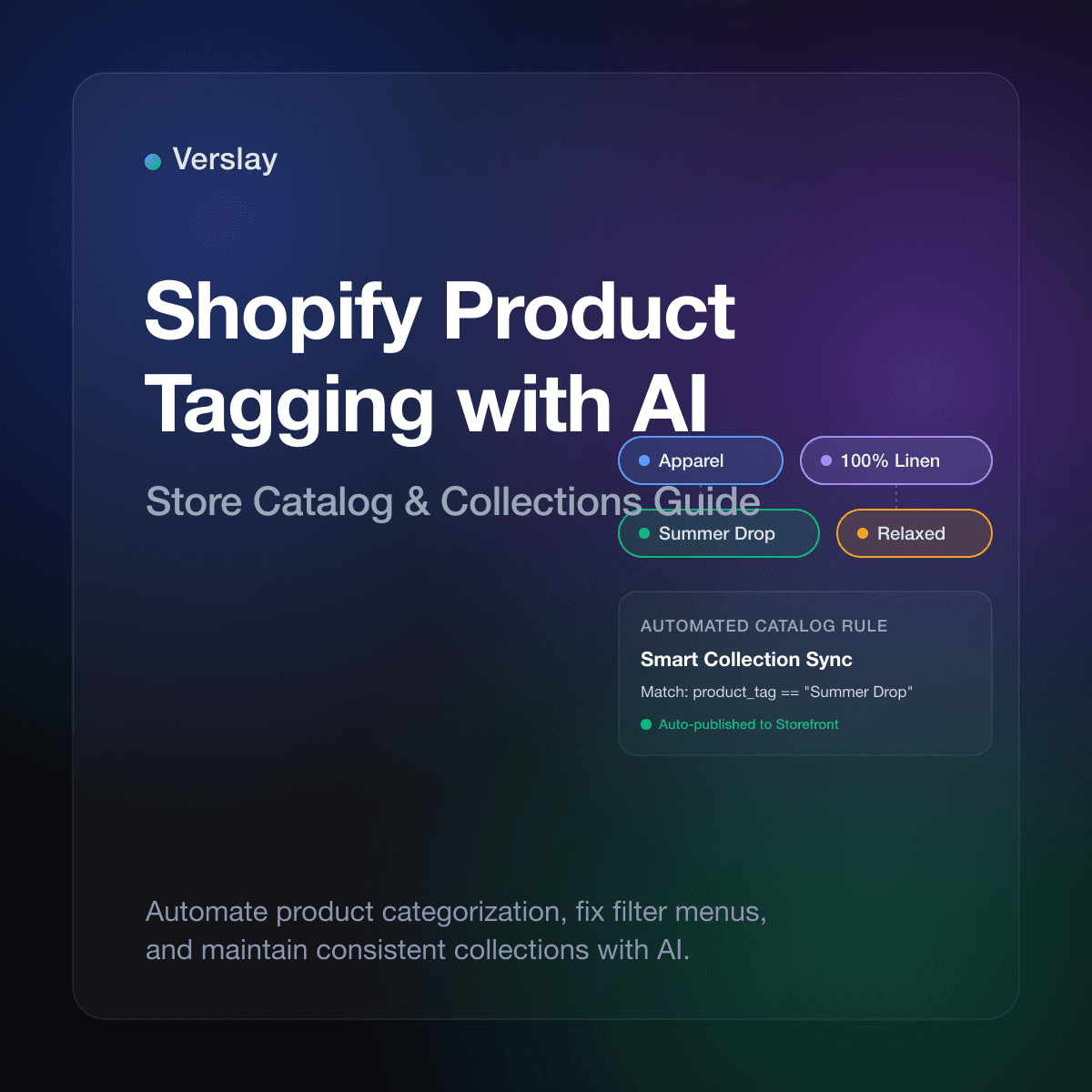
Shopify product tagging with AI automates catalog categorization, eliminates broken collection rules, and organizes storefront navigation filters directly inside your Claude workspace. By connecting your store inventory to conversational AI through Model Context Protocol (MCP), online brands can review incoming vendor descriptions, extract structured attributes, and apply consistent product tags without hours of manual spreadsheet data entry. Store teams keep their product catalogs organized and searchable while maintaining complete approval control over live store updates.
At a glance
- Core function: Analyzes product titles, vendor descriptions, and product types to assign standardized tags for collections, facets, and storefront filters.
- How it runs: Operates inside your existing Claude workspace using the Verslay MCP server, with zero custom coding or external database hosting required.
- Operational benefit: Eliminates missing products in automated smart collections and standardizes filter menus across new inventory drops.
- Target merchant: Shopify and Shopify Plus stores, multi-brand boutiques, DTC merchants, and catalog teams managing 200 to 25,000 active SKUs.
What is Shopify product tagging with AI?
Product tags are custom text markers assigned to items in your Shopify store. As documented in the official Shopify Product Tags documentation, tags provide a flexible labeling layer separate from standard product categories and product types. Merchants rely on tags to build automated collections, power storefront sidebar filters, route warehouse fulfillment, and assign seasonal merchandising labels.
Traditional product tagging requires store operators to enter tags by hand during product creation or upload CSV files after manual editing. When catalogs expand or when multiple team members create listings, inconsistent tag naming begins immediately. One team member enters t-shirt, another writes Tee, and a third enters Short Sleeve Tops.
AI-driven product tagging solves this operational friction by applying natural language processing to catalog management. By connecting store records to Claude through Model Context Protocol, the AI assistant inspects unorganized product records against an agreed taxonomy:
- Does the description mention fabric composition like French Terry, 100% Linen, or Organic Cotton?
- What silhouette, cut, or fit category does the item match?
- Which seasonal campaign or marketing collection should include this SKU?
- Are target storefront filter tags present before the product goes live?
Instead of forcing staff to memorize complex tagging rules, an AI agent extracts attributes from vendor text, formats them according to your store conventions, and presents clean tag updates for merchant approval.
Explore our AI Agents catalog to see how conversational assistants handle catalog updates, customer support triage, and daily operations across growing online stores.
Why does manual product tagging break Shopify stores?
When catalog management depends on manual input, small tagging oversights quickly cause customer-facing errors on the live storefront. Because Shopify automated collections rely on strict text matching, a single typographical error hides products from prospective buyers.
Here are four common ways manual tagging harms online stores:
- Missing SKUs in Automated Collections: Under the Shopify Automated Collections guide, smart collections group items based on conditions such as
Product tag equals Summer-2026. If an item is taggedsummer2026or lacks the tag entirely, it vanishes from the collection page, directly reducing product discoverability and sales. - Cluttered Storefront Filter Menus: Modern ecommerce themes use product tags to generate sidebar filter facets like Color, Material, Fit, and Occasion. Manual data entry creates duplicate filter options such as
Navy,Navy Blue, andDark Navy, confusing shoppers and degrading the browsing experience. - Delayed New Product Drops: When a shipment of 150 new styles arrives, writing descriptions, setting prices, and assigning 8 to 12 tags per SKU creates an operational bottleneck that delays product releases by days.
- Messy Third-Party Feeds: Marketing channels like Google Shopping, Pinterest, and TikTok require structured product attributes. Inconsistent internal tags make feed exports unreliable and trigger feed disapprovals in merchant advertising centers.
By introducing AI-assisted tagging, store teams catch missing facets and standardize naming before products are published to customers.
How does AI product tagging compare to traditional catalog management?
Growing brands typically manage product tags through one of three methods: manual admin edits, rigid bulk-edit apps, or an AI workflow connected via Model Context Protocol.
The table below outlines how these operational approaches compare:
| Operational Dimension | Manual Shopify Admin / CSV | Legacy Bulk Tagging Apps | Verslay AI Agent Workflow | | :--- | :--- | :--- | :--- | | Attribute Extraction | Manual reading of vendor spec sheets | Rigid regex or keyword text matchers | Semantic understanding of titles, materials, and descriptions | | Consistency Control | Relies on individual human memory | Fixed if/then rules that fail on synonyms | Enforces centralized store taxonomy rules across all SKUs | | Complex Faceting | Time-intensive (8–15 tags per item) | Requires building intricate rule sets | Automatically identifies style, season, fit, and material | | Setup & Maintenance | Spreadsheet export/import cycles | Monthly app fee with custom dashboard | Runs inside Claude workspace via Model Context Protocol bridge | | Merchant Governance | Accidental overwrites are common | Batch changes apply automatically | Clear batch preview table with human approval before execution |
Traditional rule-based apps fail when vendor descriptions use unfamiliar wording or alternative product names. An AI agent understands that a product described as "breathable woven flax button-down" belongs under Linen, Short Sleeve, Summer, and Casual Shirts, even if the exact keyword was omitted from the supplier title.
To review the ecommerce tools and platforms that connect alongside your store, visit our integrations directory.
How to automate Shopify product tagging using Claude and MCP
Setting up AI product tagging does not require custom application development or data engineering. The Verslay Model Context Protocol server connects your Claude workspace directly to the Shopify Admin API.
Here is the operational workflow store operators use to audit and update product tags:
Step 1: Open the store connection in Claude
With the Verslay MCP server active in your Claude workspace, your AI assistant can read product catalog endpoints and stage tag updates in plain English.
Step 2: Query products missing key tags or collections
Instruct Claude to inspect products added during the past week that lack specific collection or facet tags:
Connect to our Shopify store and retrieve the 25 most recently created products in the "Apparel" product type.
Check each product for our core filter tags: Material, Fit, Season, and Occasion.
List any items missing one or more of these tags in a summary table.
Claude retrieves the product records, parses the existing tag strings, and identifies items with incomplete attributes.
Step 3: Extract structured tags from product content
Claude examines product titles, descriptions, vendor notes, and option values against your defined taxonomy rules:
Product: Coastal Breeze Camp Shirt
Current Tags: Men, Tops, New Arrival
Proposed Additions: Linen, Relaxed Fit, Summer 2026, Short Sleeve, Casual
Reasoning: Description confirms 100% linen weave, camp collar, and relaxed fit.
Step 4: Review and approve changes in batch
Before any changes apply to your live store, Claude presents a review table showing current tags alongside proposed additions:
The proposed tags for all 25 items look accurate.
Proceed with updating the product tags in Shopify.
Append the new tags to existing tags without removing custom vendor codes.
Claude calls the Shopify product update endpoint, updates the records, and returns a verified execution receipt.
Explore our Use Cases library to see how ecommerce teams automate order workflows, inventory tracking, and daily store tasks.
What taxonomy rules should merchants define before automating tags?
An AI tagging system is most effective when guided by clear store taxonomy rules. Before running automated tagging across your catalog, document your standard tag categories:
- Material & Fabric: Standardize singular forms (
100% Cotton,Merino Wool,Recycled Polyester). - Fit & Silhouette: Define distinct fit terms (
Slim Fit,Relaxed Fit,Oversized,Tailored). - Season & Collection: Format campaign tags uniformly (
Summer 2026,Core Collection,Holiday Gift Guide). - Storefront Filters: Align tags with facet labels configured in the Shopify Search & Discovery app.
- Protected Tags: Specify supplier codes, warehouse bins, or POS identifiers that the AI must never delete or overwrite.
Storing these taxonomy guidelines in your Claude project memory ensures that every catalog session applies identical tagging standards.
How does automated tagging support storefront search, filters, and smart collections?
Clean product tags provide the operational foundation for modern ecommerce discovery:
- Reliable smart collection population: Automated collections dynamically group products as soon as tags are applied. When an AI agent tags a new arrival with
LinenandSummer 2026, the product immediately appears in relevant collection pages and seasonal promotions without manual merchandising intervention. - High-converting faceted navigation: Shoppers who use on-page filters convert at significantly higher rates than passive browsers. When every product carries accurate material, color, and fit tags, store filter menus remain responsive and accurate, reducing bounce rates on collection pages.
- Accelerated vendor onboarding: Stores that aggregate inventory from wholesale suppliers frequently receive inconsistent product data. AI-assisted tagging standardizes vendor data into a unified store structure in minutes rather than days.
To learn about flexible subscription options for growing commerce brands, review our pricing page.
Frequently asked questions about Shopify product tagging with AI
What are product tags on Shopify and why do they matter?
Shopify product tags are custom text markers assigned to products to organize inventory, power automated collections, support storefront navigation filters, and format feeds for marketing platforms. Accurate tags ensure products appear in the correct store collections and filter menus.
How does AI automate Shopify product tagging?
An AI agent connects to your Shopify store through Model Context Protocol (MCP) to read product titles, descriptions, and option details. The agent matches product attributes against your defined taxonomy rules and generates structured tag updates with human review before publishing.
Can AI update existing product tags in bulk without overwriting custom labels?
Yes. AI tagging workflows can be instructed to append missing category, material, or collection tags while preserving custom warehouse identifiers, vendor SKU codes, or internal tracking labels already attached to the product.
How do merchants review and approve AI product tag suggestions?
All updates require explicit merchant confirmation. Claude compiles proposed tag modifications into a side-by-side comparison table directly within your workspace chat, allowing store managers to audit suggestions before applying updates to the live Shopify store.
Ready to organize your Shopify catalog with AI?
Verslay connects your existing Claude workspace directly to your Shopify store through Model Context Protocol, enabling fast catalog tagging, smart collection management, and order monitoring without custom code.
Book a 30-minute working walkthrough to see how AI agents support daily catalog operations for growing ecommerce brands.